For any Shopify plan
All plans
Storefront hearts and a favourites page.
Pre-filled cart links for your flows.
Favourites
Shoppers tap a heart to save a product. When they return, a flow reminds them, with a link that opens a cart already filled.
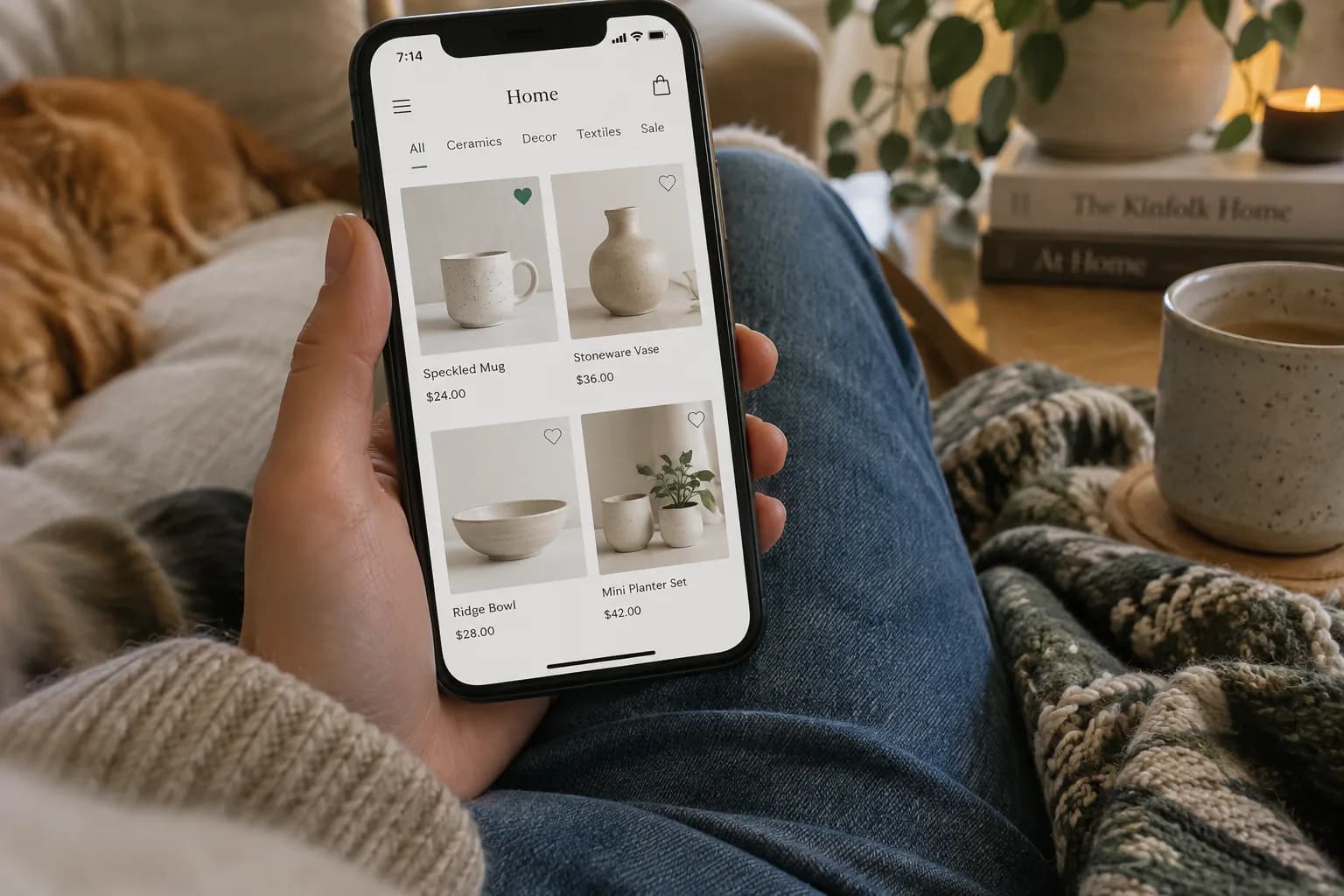
Inside the app
Real screens from the admin and the storefront. Yours are set up around your own products and rules.
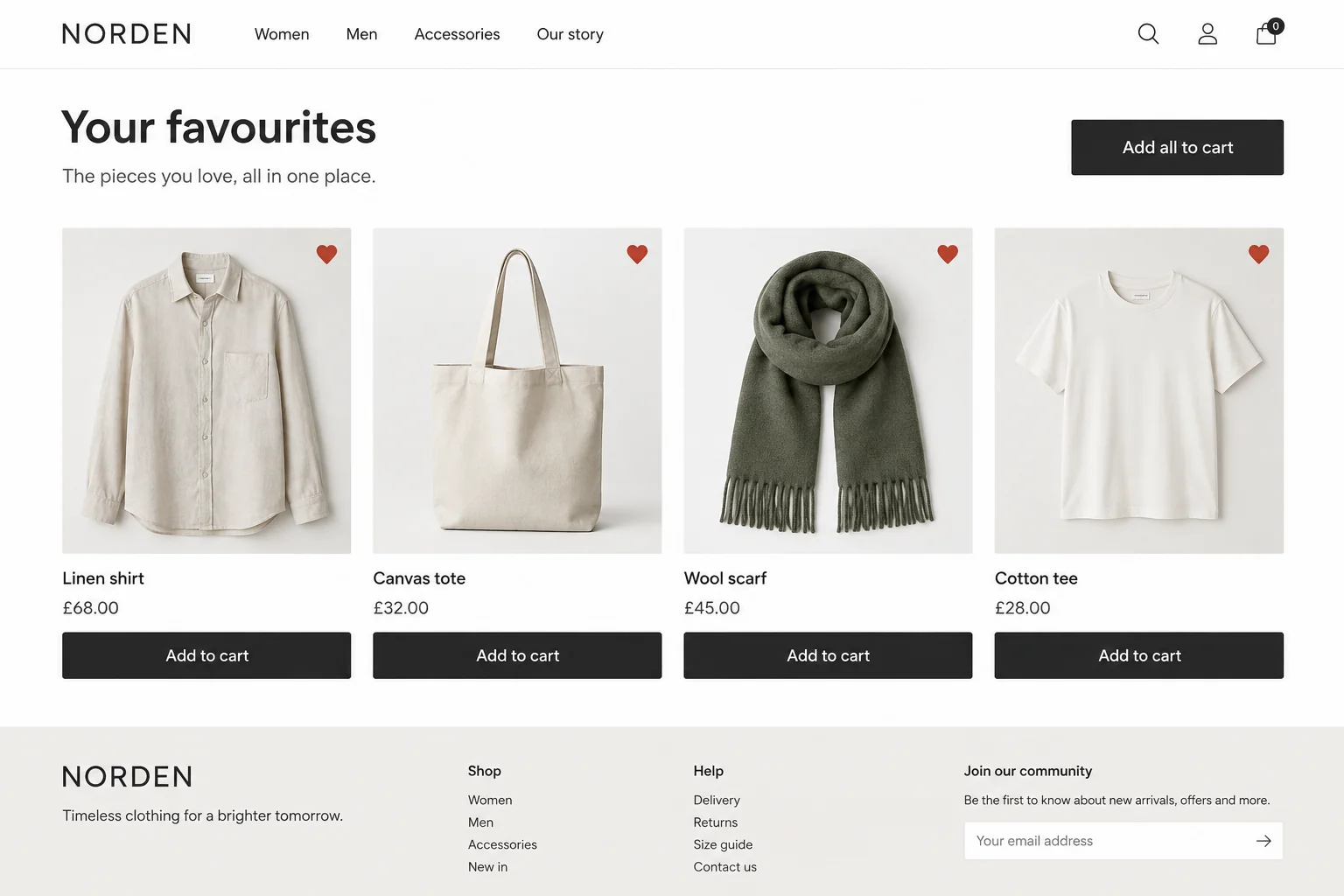
Shoppers see everything they saved in one place and can add it all to the cart.
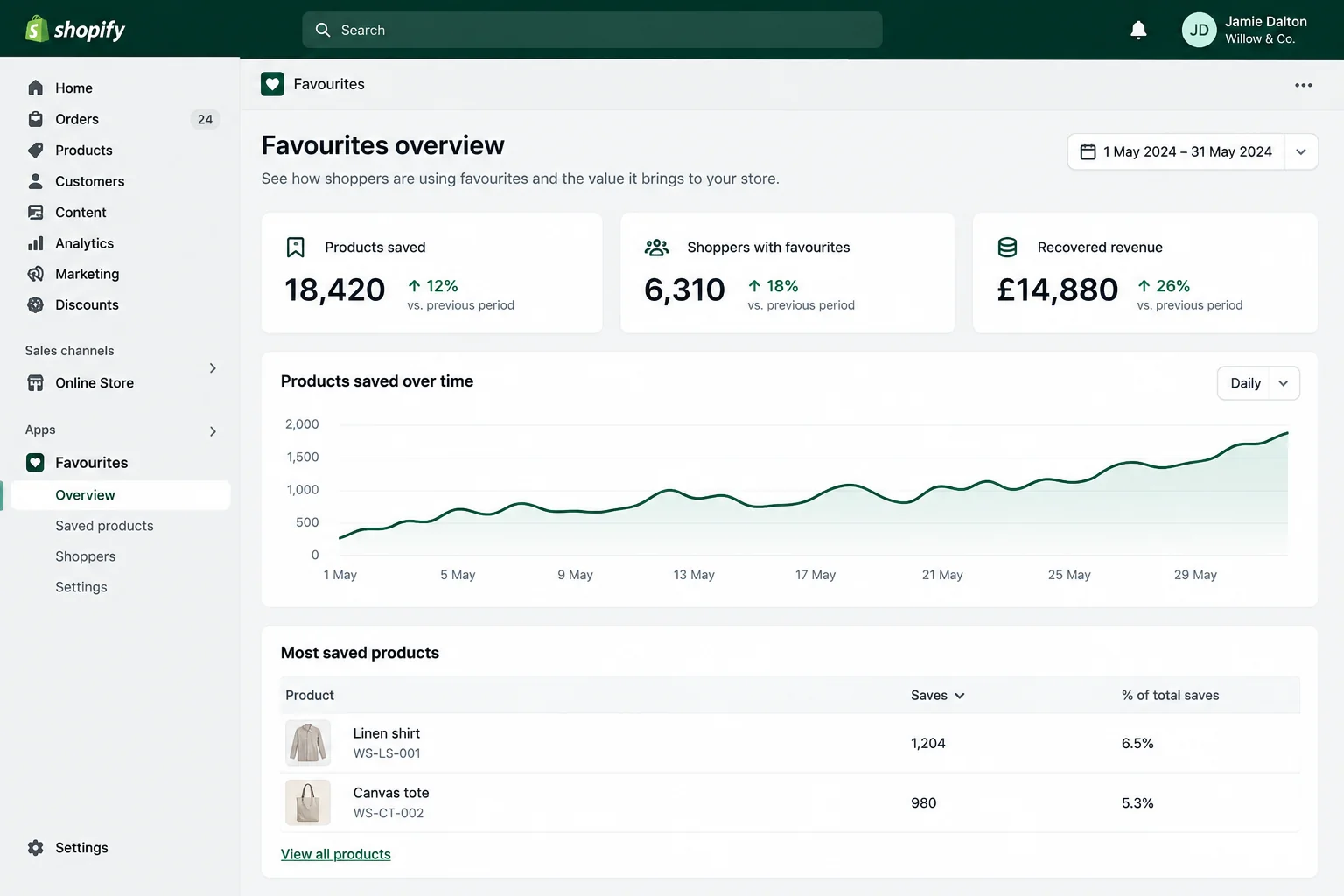
Products saved, shoppers with favourites and the revenue the reminders bring back.
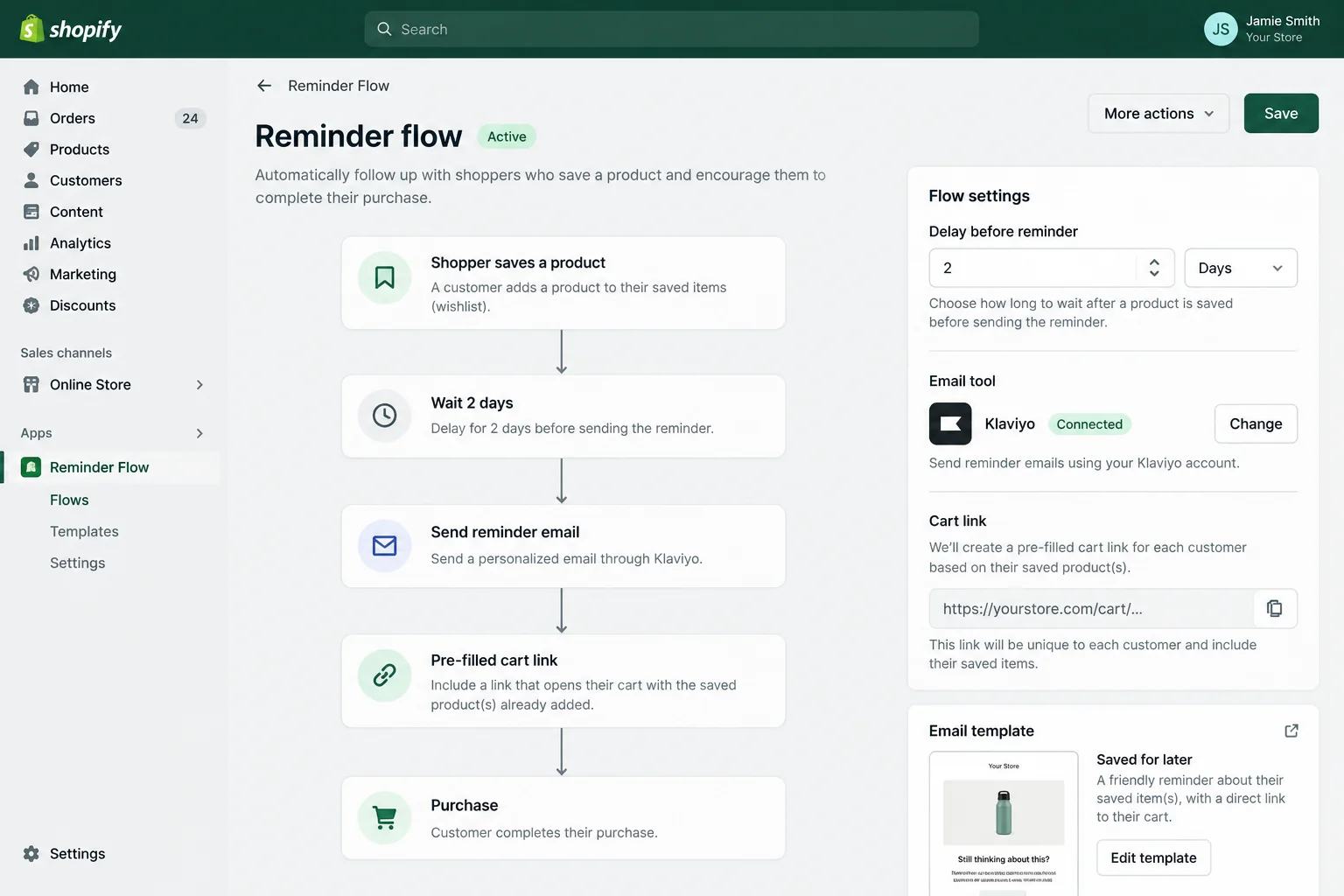
Choose the delay, connect your email tool and preview the cart link.
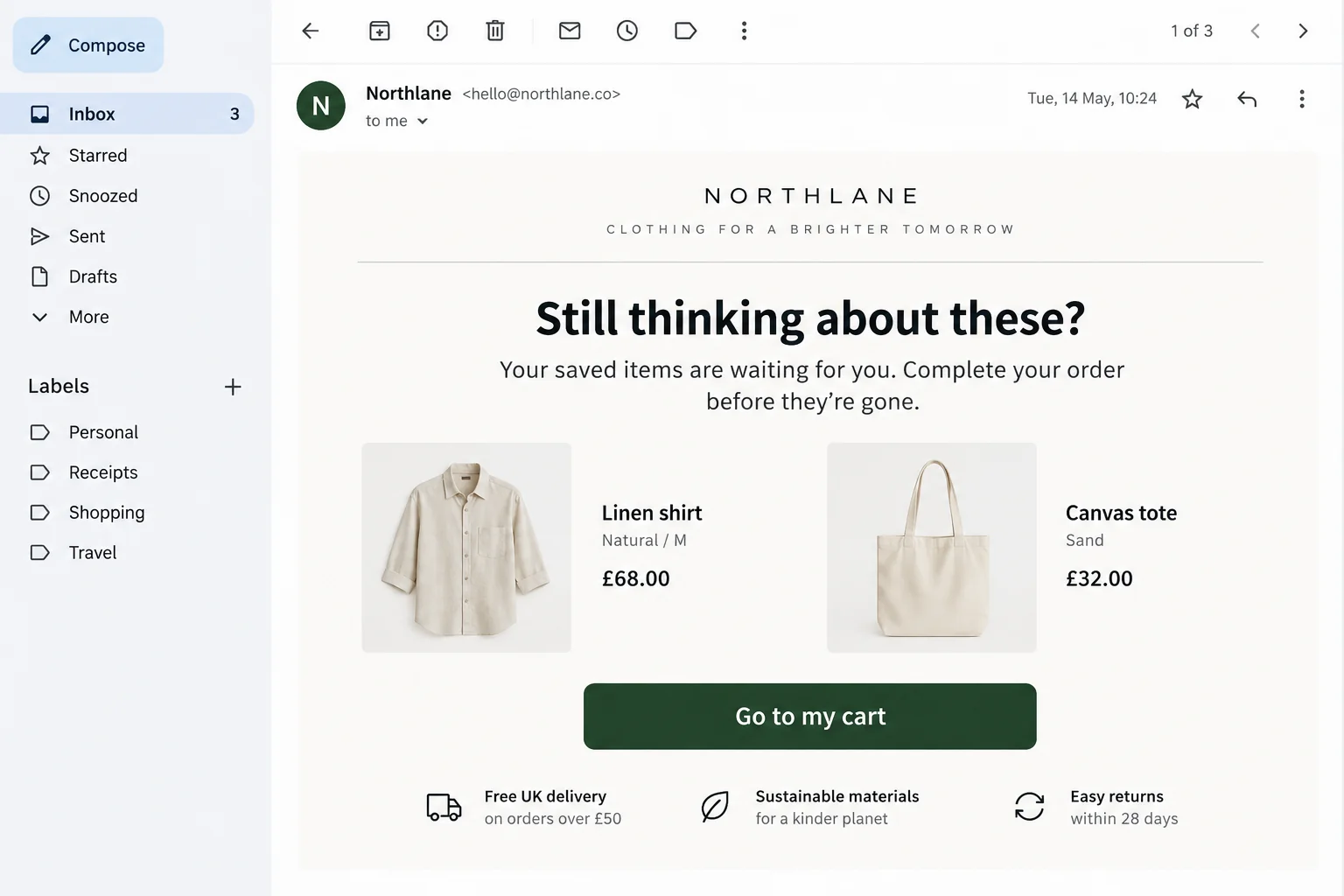
A short reminder with their saved items and a button that opens a filled cart.
What it does
Saving is the start. Bringing them back is the point.
A heart on every product card and page, kept for guests and customers.
All plansEverything saved, in one place, in your theme's style.
All plansReminders to shoppers who saved something and left.
All plansThe reminder opens straight to checkout with their favourites in the cart.
All plansIn the store
A shopper saves two products and leaves. A reminder arrives with a link that opens a cart with both inside.
No sign-in needed to save.
Link opens a ready basket.
Works with the email tool you use.
Why you can rely on it
Installed privately, on your store only.
Tested on a real basket with you before launch.
Rules edited by your team, no developer needed.
Supported after launch, by the people who built it.
How it comes to your store
We install the app privately on your store. It never appears in the App Store.
We set it up around your products, markets and rules, and match your theme.
We test it on a real basket with you, launch it and stay on hand afterwards.
Plans
Favourites sits in your theme and needs no Plus features.
For any Shopify plan
Storefront hearts and a favourites page.
Pre-filled cart links for your flows.
For Shopify Plus stores
The same app, with checkout touches if you want them.
Pricing on request
Questions
The reminder is a link, so it works with Klaviyo, Shopify Email or any tool you use.
Yes. We style it to your theme during setup.
Yes. Favourites are kept for guests, and carried over on sign-in.
These are starting points. We adapt each one to your rules, or build something new beside it.
Begin a conversation
Plain language is fine. Tell us what should happen, who uses it and what it replaces. We reply with questions, an honest view on whether a custom app is the right answer, or a time for the discovery session.